We Heard You! Output in 100+ Languages and More Enhancements
[Version 3.1]
Your Feedback in Action! Fresh out of the oven 🔥
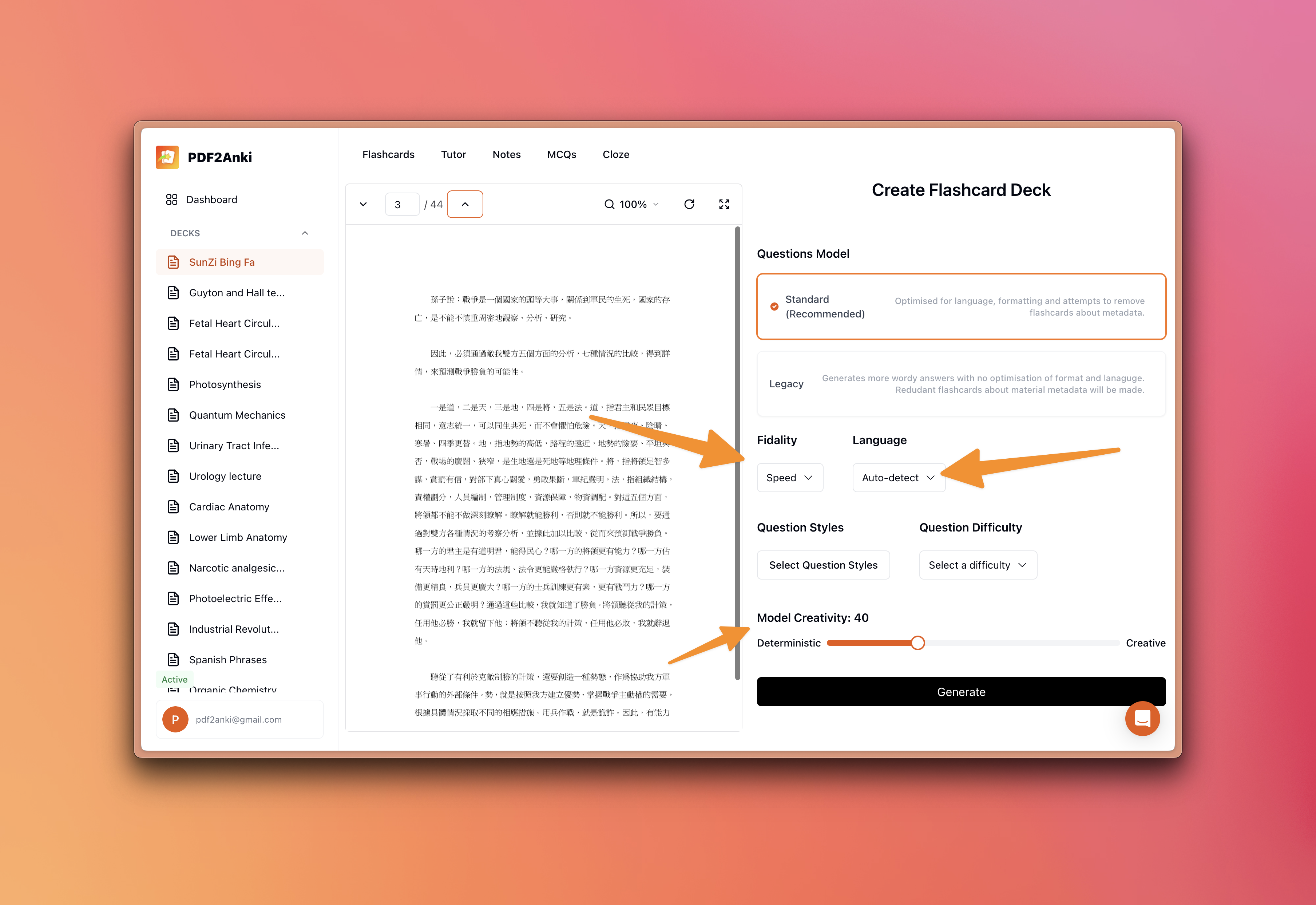
🌍 Language Selector Reinstated! Due to overwhelming feedback, we've brought back the language selection feature! Now, select from over 100+ languages to ensure your flashcards are generated in your preferred language. Toggle on the "Language Selector" in the deck configuration screen and say goodbye to unintended language outputs. For those seeking precision, activate "Quality Mode" for stricter adherence to your selected language. By default, we'll continue to smartly detect and match the language of your material.
⚖️ Customize Your Fidelity! Tailor your flashcard generation speed and quality directly from the settings. Choose "Speed" for quick but lower quality outcomes or "Quality" for superior, though slower, generations. Exceeded your "Quality" quota? No worries, we'll seamlessly switch you back to "Speed." Keep tabs on your usage in Settings > Usage.
🎨 Set Your Creativity Levels! Adjust the creativity slider in the deck configuration screen to fine-tune your flashcards. Craving innovation? Dial up the creativity for more varied and adventurous outputs. Prefer consistency? A lower setting keeps the content closely aligned with your material. Defaulted at 40, it strikes the perfect balance between novelty and accuracy.
💼 Earn with Our Affiliate Program! Spread the word about PDF2Anki and enjoy a 30% commission for every referral, forever! Find out more and join through the "Refer A Friend" option in the sidebar.
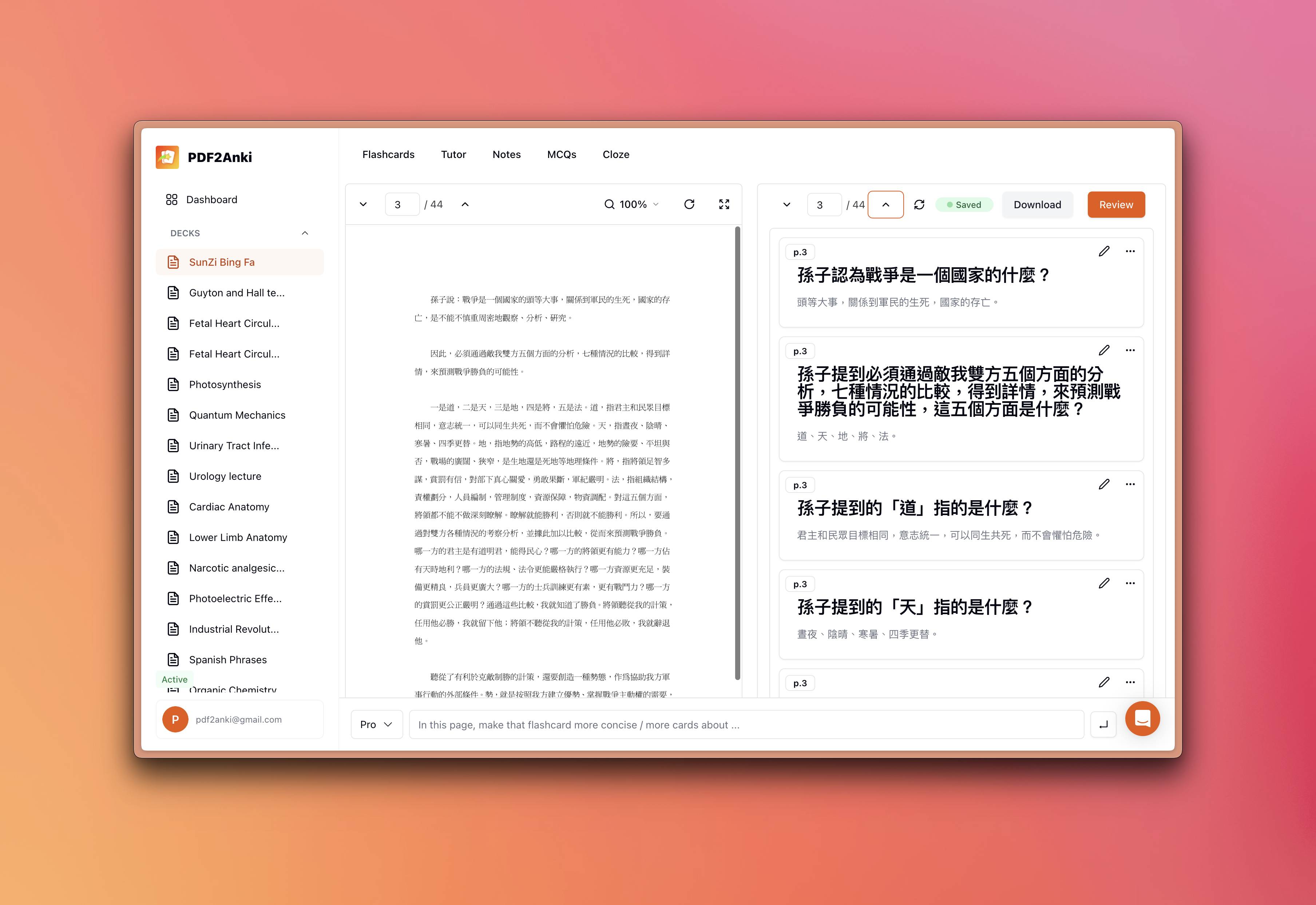
Here is an example of selecting Traditional Chinese in our toggle which created flashcards in Traditional Chinese (instead of possible Simplified Chinese using the auto-detect feature):
Bug Report 🐞
And finally — a quick synopsis of a few more issues we fixed as well as small enhancements!
📚 Page Order Preservation: We've addressed the glitch causing exported cards to mismatch the page order. Your flashcards will now align perfectly with the sequence of your material.
Thank you once again for supporting PDF2Anki. We are a small team of medical students with a mission to help you streamline your learning process. Happy learning!
PDF2Anki Team