Preview of the pages after uploading a PDF and fast selection
1) Right now, selecting pages of a large pdf, is painful. At the moment, you have to open the pdf file in another window to understand which pages you should select.
You should be able to get a preview of the pages, to be able to orientate yourself more quickly and being able to select the correct pages.
Example:
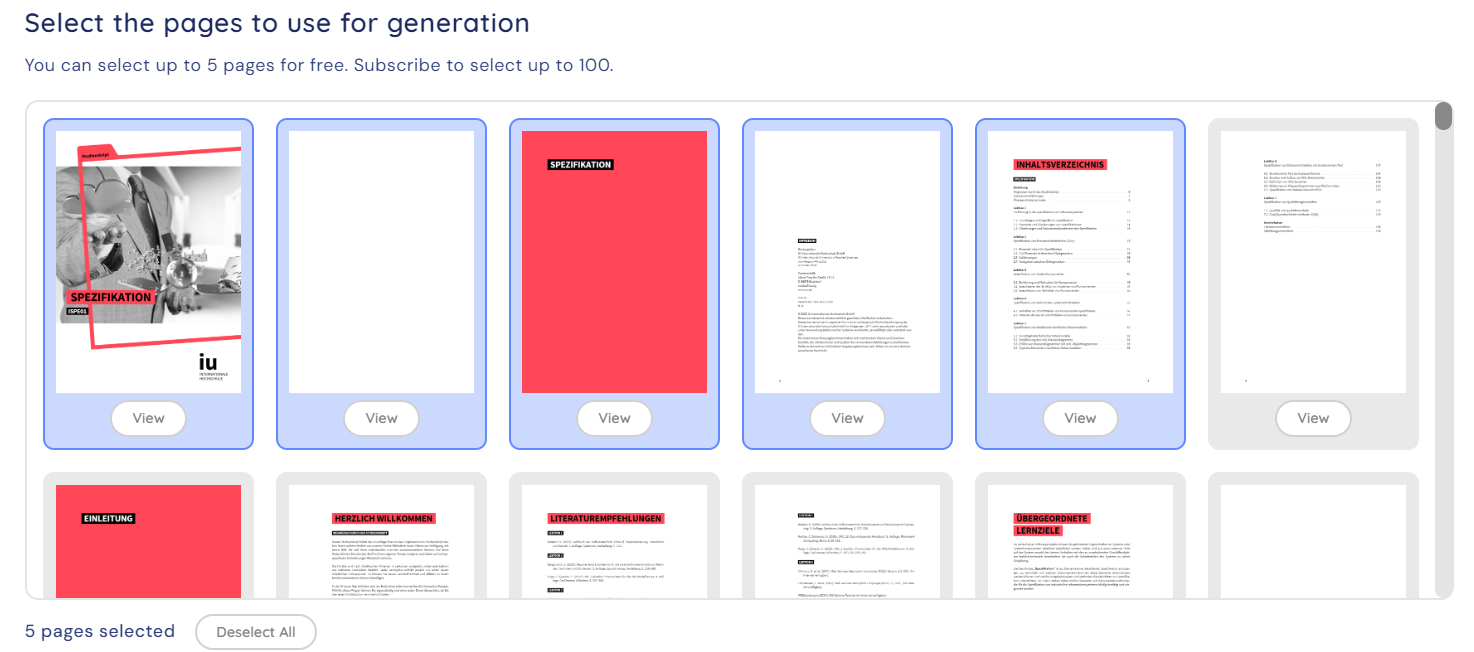
2) Selecting pages is slow and tedious.
If you want to create cards from 150-page files, you need to split it, or you even want to split it. Unselecting 120 pages to create a deck of 30 pages, then another on of 30 and so on, can be annyoing.
You should be able to select "all pages", "no page", and being able to select/unselect whole rows. A more dynamic style could be a nice fit as well, but this is what it needs at least.
Example:
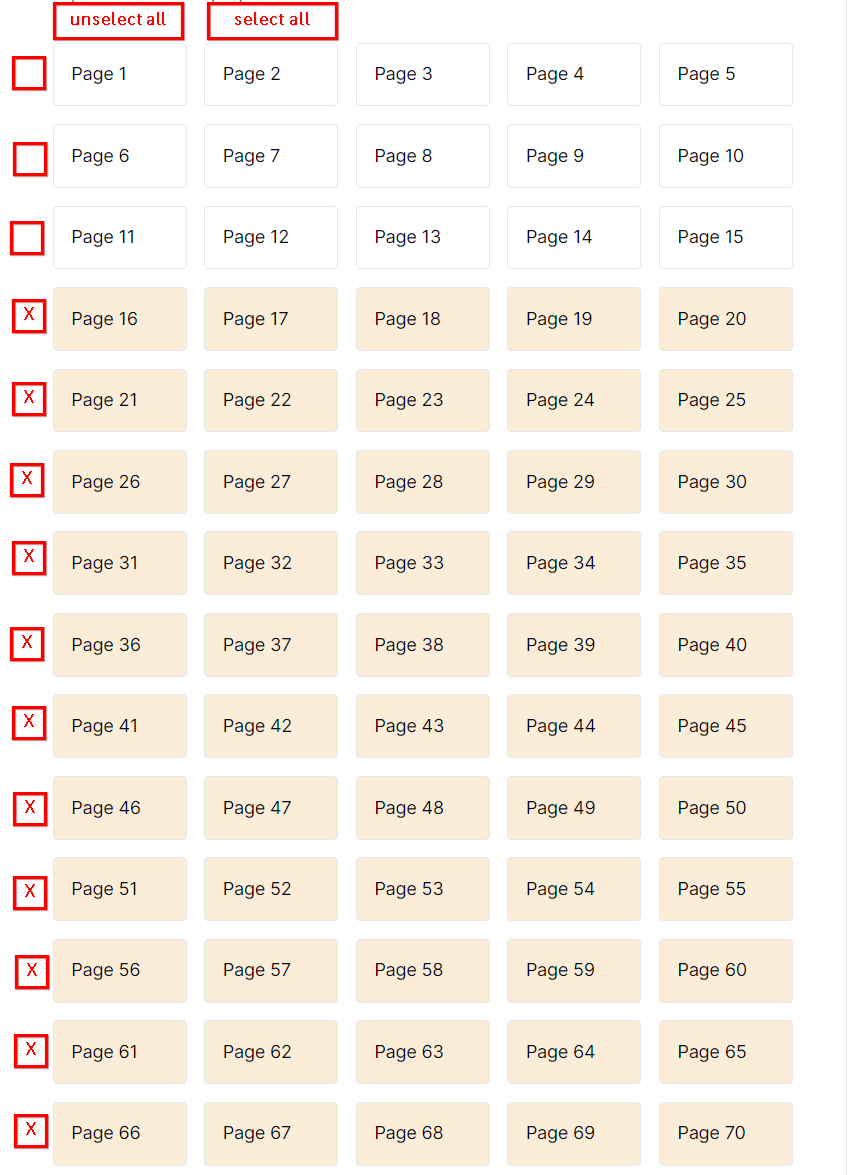
Edit: What even could be better than my previous solution for large docs, would be being able to insert numbers, areas "from" - "to". That would be maybe one of the easiest and options to implement with best handling. [Format: From XX - XX]
Thank you :)
Comments3
ctc
Jul 17, 2024
just pushed the update! happy to learn your feedback on it.
[Deleted User]
Apr 4, 2024
Thank you for this amazing feedback. We will take into account this for sure for the next update! At the moment, we do sort of support and you can hack your way around by holding shift to select or unselect multiple pages but we realise it is not reliable and obvious and will change this. Thanks!
chr
Apr 4, 2024
Works perfect with shift, thank you. Selectable rows could still be useful for huge pdfs, but with shift, it's perfect as it is :)
Thanks for the fast answer btw. your product is great, keep on!